Workplace ergonomics is the practice of fitting your desk, chair, screen and daily habits to your body, so you can work without strain. Good workplace ergonomics keeps your joints close to neutral, cuts the force you use and builds regular movement into the day.
If you sit at a desk for most of your working hours, small set-up errors repeat thousands of times a week. This article covers a desk set-up checklist, a break schedule, five simple exercises and the signs that desk pain needs a closer look.
Key Takeaway: Most desk pain comes from a few fixable habits: a screen that is too low, a chair that does not support your lower back and long spells without moving. Set your chair first, then your screen and keyboard, and move every 30 to 60 minutes. Pain lasting over two weeks, or with numbness, deserves an assessment.
What Is Workplace Ergonomics?
Workplace ergonomics is the study of how your work space and tasks fit your body. When your desk, chair, monitor, keyboard and mouse are placed well, your muscles work less to hold you in position and your joints sit in comfortable ranges.
The Three Core Principles
Good ergonomics follows three ideas: neutral posture, low force and frequent movement. Neutral posture means your spine is upright, your shoulders are relaxed and your wrists are straight. Low force means you are not gripping, reaching or pressing harder than you need to.
Frequent movement means you change position often, even when your set-up is good. No single posture is perfect for eight hours. The best posture is usually the next one, so the goal is variety, not stillness.
Why Small Details Add Up
A desk worker may type, click and look at a screen for many hours each day. A screen that sits a few centimetres too low, or a mouse that sits a little too far away, adds a small load to the same tissues over and over. Over weeks, that load can lead to stiffness and pain.
How Does a Poor Desk Set-Up Cause Pain?
Your body handles sitting well for short periods. Problems tend to start when a set-up holds you in one awkward position for hours. Specific muscle groups then work harder to hold you there, tire and start to ache.
Forward Head Posture and Neck Pain
When your monitor sits too low or too far away, your head tends to drift forward. The muscles at the back of your neck and upper back then work harder to hold the weight of your head. Over time, this pattern can lead to neck pain, upper back tension and headaches.
If this sounds familiar, our article on physiotherapy for forward head posture explains how this pattern is assessed and treated.
Lower Back Pain From Poor Chair Support
When your chair does not support the curve of your lower back, you may slump into a rounded C-shape. This posture is not dangerous in itself, but holding it for hours can leave your back stiff and sore. A backrest that meets the small of your back makes it easier to sit upright without effort.
Wrist and Shoulder Strain From Keyboard Height
If your desk is too high, your shoulders tend to lift. If your keyboard is too far away, you reach forward and your wrists bend. Both positions can strain the shoulder and forearm muscles. Over time, this may contribute to shoulder pain, forearm tendon pain or tingling in the hands.
What Is the Best Desk Set-Up Checklist?
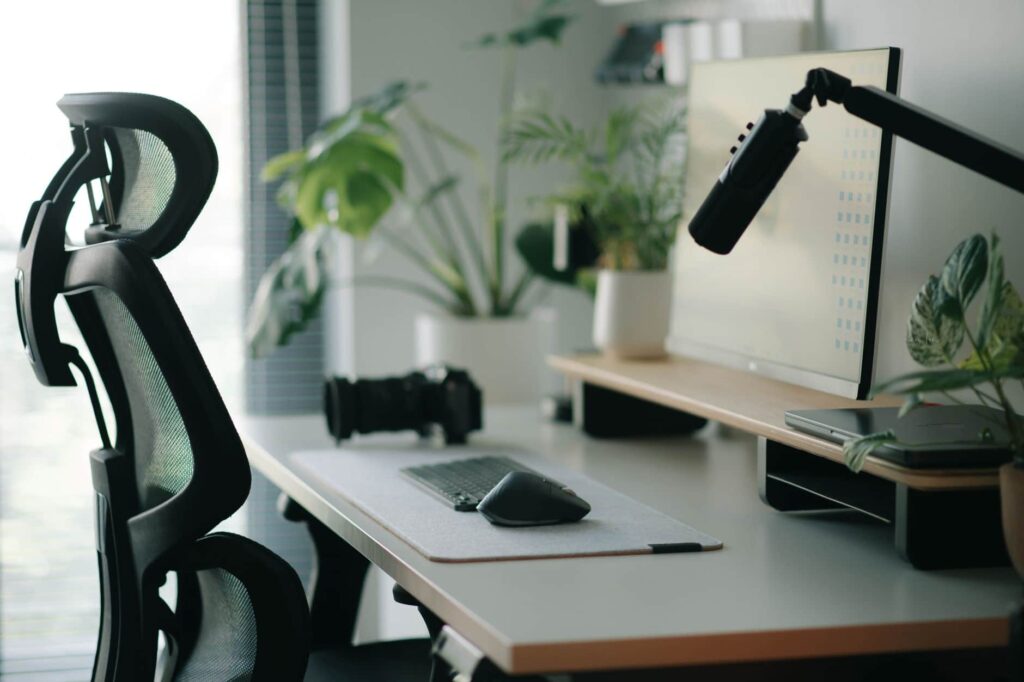
Use this checklist to adjust your work space in about 15 minutes. Work from the floor up: chair first, then screen, then keyboard and mouse. The table gives a quick summary for each body part.
| Body part | Target position | Common mistake |
|---|---|---|
| Eyes | Top of screen at or just below eye level | Screen too low, looking down |
| Neck | Head balanced over shoulders | Chin pushed forward toward the screen |
| Shoulders | Relaxed, not raised | Desk too high, shrugging |
| Elbows | Close to your sides, about 90 to 100 degrees | Reaching forward for the keyboard |
| Wrists | Straight, not bent up or down | Keyboard too high or tilted up |
| Lower back | Supported by the backrest curve | Slumping away from the backrest |
| Hips | Level with or slightly above the knees | Chair too low, hips below knees |
| Feet | Flat on the floor or a footrest | Feet dangling, pressure behind the knees |
Steps 1 and 2: Chair Height and Lumbar Support
Set your chair so your feet rest flat on the floor and your knees sit at about hip height or just below. If your feet do not reach the floor once the chair suits your desk, use a footrest. Your hips should be level with or slightly above your knees.
Position the backrest so its curve sits in the small of your back, around belt level. If your chair has no adjustable lumbar support, a small rolled towel can do the same job. Sit back into the chair rather than perching on the front edge.
Steps 3 and 4: Monitor and Keyboard Position
Place your monitor about an arm’s length away. The top of the screen should sit at or slightly below eye level, so your gaze drops a little to the middle of the screen. If you use a laptop for long periods, raise it on a stand and use a separate keyboard and mouse.
Keep your keyboard close enough that your elbows stay near your sides. Your wrists should be straight, not bent up or down. Place your mouse right beside the keyboard at the same height, so you are not reaching sideways for it all day.
Steps 5 and 6: Lighting and a Movement Plan
Place your screen side-on to windows to reduce glare, and use a desk lamp for paper work. Poor lighting makes many people lean in and squint, which pulls the head forward. The Canadian Centre for Occupational Health and Safety offers a useful office ergonomics overview with more detail.
Finally, plan your movement. Set a reminder every 30 to 60 minutes to stand, stretch or walk for a minute or two. Even the best set-up can leave you sore if you sit still for three hours straight.
Which Common Ergonomic Mistakes Cause Pain?
Most desk workers make the same few mistakes. Each one pulls your body away from a comfortable position and tends to create a matching pattern of aches.
The Laptop Trap
Laptops are built for portability, not long work days. The screen and keyboard are joined, so you have to choose between a low screen that bends your neck or a high keyboard that lifts your shoulders. If you work on a laptop full-time, a stand plus an external keyboard and mouse usually solves both problems.
Phone Calls and Reaching
Tucking a phone between your ear and shoulder holds the neck tilted to one side, which often leads to one-sided neck pain. A headset or speaker phone removes this strain. Reaching for a mouse, files or a second screen that sits too far away loads the shoulder in a similar way.
Ignoring Early Warning Signs
The most common mistake is ignoring early signals. A stiff neck every afternoon, or tingling in your fingers after typing, is a sign that something in your set-up or routine needs to change. The earlier you respond, the easier the pattern usually is to reverse.
How Often Should You Take Breaks?
Breaks are as important as set-up. Your spinal discs, joints and muscles all prefer regular changes in position. Short, frequent breaks tend to work better than one long break at lunch.
A Simple Break Schedule
- Every 30 to 60 minutes: stand up, walk to get water or change position for one to two minutes
- Every two hours: do two or three of the exercises below
- At lunch: take a short walk outside if you can, away from the screen
- During long calls: stand up or walk while you talk
Sit-Stand Desks and Active Breaks
A sit-stand desk can make it easier to change position through the day. Standing all day is not the answer either, as it brings its own aches in the feet and lower back. Alternating between sitting and standing is usually more comfortable than either one alone.
What Exercises Help Desk Workers?
These exercises target the areas that tend to stiffen during desk work. You can do them at your desk, and each takes about a minute. Move gently and stop any exercise that causes sharp pain.
Neck and Shoulder Exercises
- Chin tuck: sit tall and glide your head straight back as if making a double chin. Hold for 5 seconds and repeat 10 times.
- Shoulder blade squeeze: sit upright and draw your shoulder blades back and down. Hold for 5 seconds and repeat 10 times.
- Upper back rotation: cross your arms over your chest and turn your upper body slowly to each side. Repeat 10 times.
These movements counter the rounded shoulders and forward head that long screen time can encourage. They also give your eyes a short break from the screen.
Back and Wrist Exercises
- Standing back bend: stand up, place your hands on your lower back and lean back gently. Repeat 5 to 10 times.
- Wrist flexor stretch: hold your arm out with the palm up and gently pull your fingers back with your other hand. Hold for 15 seconds per side.
The standing back bend reverses the forward-bent position of sitting. The wrist stretch eases forearm tension from typing and mouse work. For more ideas you can do outside work, see our list of exercises to continue at home after physiotherapy.
How Can Physiotherapy Help With Desk Pain?
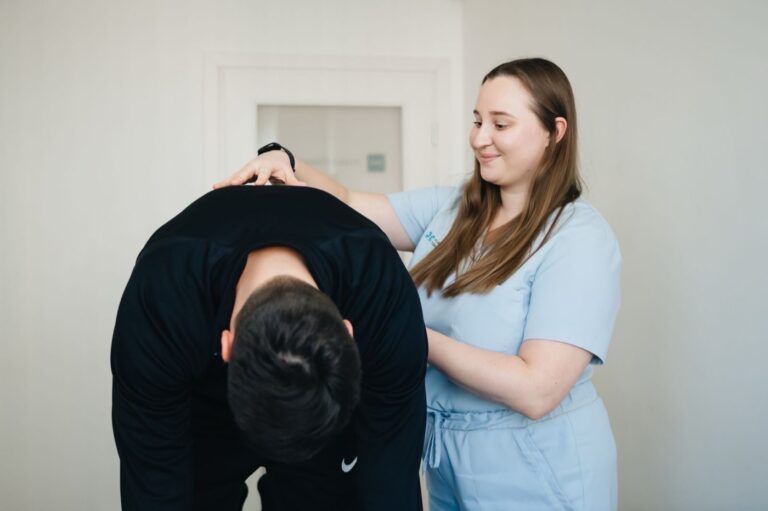
A good set-up prevents many problems, but pain that has built up over months may need more than a new chair. Physiotherapy looks at how you move, which areas are stiff or weak and what in your work day keeps the pain going.
What an Assessment Covers
A first visit usually includes a history of your symptoms and work day, posture and movement checks, and strength and range of motion testing for the neck, shoulders, back and wrists. You can read more about what to expect at your first physiotherapy appointment.
A workplace ergonomics assessment goes one step further and reviews your actual work set-up and habits. The aim is to change the conditions that keep bringing the pain back.
Treatment and Exercise
Treatment often combines hands-on care for stiff joints and tight muscles with a home exercise program. Exercises may strengthen the deep neck muscles, the muscles between the shoulder blades and the hips, which often weaken with long sitting. Manual therapy can ease pain in the short term, while exercise tends to support longer-term change.
Who Is Responsible for a Safe Work Station?
Both workers and employers have a part to play. A good set-up starts with the right equipment, but it also depends on how that equipment is used every day.
Employer Duties in Ontario
Ontario’s Occupational Health and Safety Act requires employers to take reasonable precautions to protect workers. In practice, many employers provide adjustable chairs, monitor arms or ergonomic reviews when asked. If your equipment does not fit you, it is reasonable to raise it with your manager or health and safety representative.
Work-Related Strain Claims
If your pain developed because of your job, it may count as a workplace injury. Ontario’s Workplace Safety and Insurance Board handles claims for work-related conditions, including some repetitive strain problems. Our article on repetitive strain injury at work and when to report it explains the steps.
When Should You Seek Help for Desk Pain?
Most desk aches ease with a better set-up, regular breaks and simple exercises. Some symptoms need a closer look, and a few need prompt medical care.
Signs to Book an Assessment
- Pain that lasts more than two weeks despite set-up changes and stretching
- Numbness or tingling in your hands, fingers or arms
- Headaches that start at the base of your skull
- Pain that spreads from your neck into your shoulder or arm
- Pain that wakes you at night or stops you from doing daily tasks
When to See a Doctor or Go to Emergency
See a doctor promptly if you have weakness in an arm or hand that is getting worse, pain with fever or unexplained weight loss, or neck pain after a fall or accident.
Go to emergency or call 911 for chest pain, sudden severe headache, sudden weakness or numbness on one side of the body, or trouble speaking. These symptoms are not caused by a desk set-up and need urgent care.
Book an Assessment
If desk pain is following you home, an assessment can find what is driving it and set out a plan that fits your work day. You can book online with Tonic Physio at a time that suits you.